
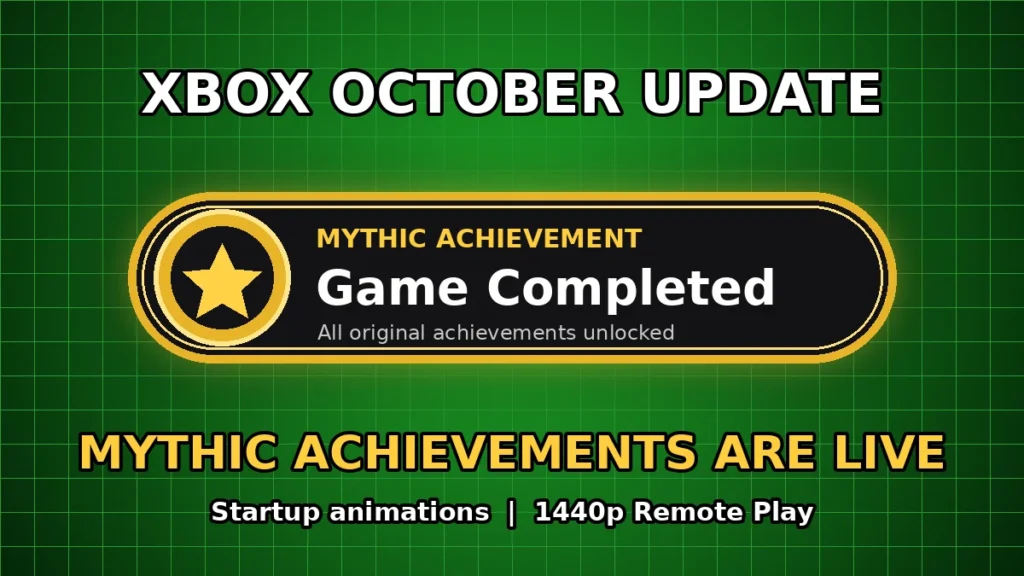
Xbox's biggest console update in a long time started rolling out October 28. Mythic Achievements count your past completions all the way back to Xbox 360, and you can now pick your boot animation, clean up Home, manage saves and stream Remote Play at up to 1440p.
The October 2026 Xbox console update is rolling out now, and it finally brings Mythic Achievements to every Xbox player. It started going out on October 28, and Eden Marie, Principal Software Engineering Lead at Xbox, pointed players to the official release notes that afternoon. The update is OS version 10.0.26100.9647 (build xb_flt_2610ge.261021-2200).
The key facts:
- Mythic Achievements are live for everyone, and they are backdated to games you already finished, including Xbox 360 games.
- Pick your startup animation, with options from Xbox One through Xbox Series X|S.
- Remote Play to your Series X|S now streams at up to 1440p with higher bitrates on supported devices.
- New Home, save, search, badge and Cloud Gaming controls, plus a list of bug fixes for black screens, stalled downloads and a Home screen that kept refreshing.
What Mythic Achievements are and how they work
Mythic is Xbox’s new reward for fully completing a game. In Xbox’s own words: “You earn a Mythic Achievement when you complete all original achievements for a game. Achievements added later through DLC or updates aren’t required, and once you’ve earned Mythic status, it’s yours to keep.”
Here’s how it works:
- Only the original list counts. DLC and update achievements are tagged “add-on” and are not needed, so a new expansion can never take your Mythic away.
- It’s permanent. Once a game hits Mythic, it stays Mythic.
- Your history counts. Xbox Wire said when it launched for Insiders on September 29 that “Mythic Achievements have already been added to eligible games you completed in the past, including XBOX 360 titles.” So check your profile, you may already have a stack of them.
- New Gaming tab on your profile. It shows your achievements, your total Mythic count, your next Gamerscore milestone badge and your completed games. Mythics get a “heroic frame” so they stand out, and you can check your friends’ Gaming tabs too.
- Progress toward Mythic. Each game’s achievement list now has a progress bar at the top, with an option to focus on the original achievements you still need. Similar progress info shows up in the Guide and in achievement details.
- Better sorting. You can now sort games by name, completion percentage, Gamerscore earned or number of achievements unlocked, ascending or descending, alongside the default Last Played view.
Mythic Achievements are tied to your Xbox account, so this all lives on your profile. One early complaint from players on X: there’s no way yet to full-screen, screenshot or share a Mythic on console.
Everything else in the October update
Startup animations
- Choose which boot animation plays when your console starts, from Xbox One through the latest generation.
- Find it in Settings > System > Startup. The option to play the startup animation without sound moved to that same page.
Home
- Remove anything from the recent games and apps row at the top of Home with the Menu button, including the Play History tile.
- New immersive background mode: press the Right thumbstick button anywhere on Home to fade the interface and show off your dynamic or custom background. Press any button to bring Home back.
Game saves
- View, sort and delete local game saves that aren’t currently in use, one big file at a time or all unused local saves at once.
- Storage warning pop-ups now link straight to local save management.
Profile and badges
- Detailed info for every badge on a profile, including high-res artwork and when and how it was unlocked.
- Feature up to five badges in your profile card showcase, and hide individual badges from your public profile.
- The Rewards tab is gone from profiles. Rewards now lives behind the My Rewards button on the Welcome tab.
Local search
- Search inside My games & apps, official club achievement lists and the Gaming tab of a profile. It works alongside the existing filters and sorting.
Remote Play (Xbox Series X|S)
- Streams at up to 1440p with higher video bitrates on supported devices.
- On Auto quality, Remote Play picks the highest resolution and bitrate your device and network can handle, even if the setting shows a different resolution.
- To get the upgrade, set your console display resolution to 1440p or 4K UHD in Settings > General > TV & display options.
- Some devices may not yet offer separate streaming settings for Xbox Cloud Gaming and Remote Play.
Xbox Cloud Gaming
- Games you play through Cloud Gaming are automatically added to the Games section of My games & apps. Remove them with the Menu button.
- Downloads keep going in the background while you stream, when your network allows. You can turn that off in Settings > Cloud gaming > Streaming preferences.
Disc to digital licenses
- Viewing disc to digital licenses you no longer have access to now opens on the console instead of a web page. It’s in Settings > General > Personalization > Games & apps.
Other changes
- Big changes to the party chat infrastructure behind the scenes, which Xbox says are “designed to enhance the future reliability and security of parties.”
- The “Apps can add a border” setting now defaults to off (Settings > General > TV & display options > Video fidelity & overscan).
Bug fixes
- Home refreshing over and over.
- Several issues where the console booted to a black screen instead of Home.
- Downloads that looked paused or stopped for no reason.
- Broken images and text for some compilation discs in recent games.
- Focus resetting or disappearing in My games & apps when content refreshed.
- Memory and performance fixes for very large libraries, plus general stability fixes.
When and how to get it
The update started rolling out October 28. If “Keep my console up to date” is on, it will install on its own over the coming hours. To grab it right now: press the Xbox button, go to Profile & system > Settings > System > Updates, and install it.
Most of these features were tested with Xbox Insiders first. Mythic Achievements hit Insiders on September 29, and the Omega ring preview build that went out October 22 included “various fixes to address some user reports of not seeing Mythic Achievements unlocked for completed titles.”
How fans are taking it
Players are already flexing. One player found 32 Mythics waiting on a profile with 7.4K achievements, and PureXbox readers are calling it one of the biggest Xbox console updates in a long time.
The main wish so far is more flair: some players want unique artwork for each Mythic, and others want an easy way to share them.
OnPoint’s take: This is a gigantic W for Xbox, and the smartest part is that it counts your history. Twenty years of 360, One and Series grinding just turned into a trophy case on day one, instead of everyone starting at zero. The “original achievements only” rule is the right call too, because a DLC drop can never knock your Mythic off. Throw in the classic boot animations, a cleaner Home and 1440p Remote Play, and this is the Xbox team listening to its players. Our one ask: give us a way to share these things, because people want to show them off. Go update, open your Gaming tab and let us know how many Mythics you already had.
Sources
- Xbox Support: Xbox system update release notes
- Xbox Wire: Available for Xbox Insiders: Mythic Achievements, One of our Most Player-Requested Features
- Xbox Support: Omega ring Xbox Update Preview release notes, Oct 22
- Eden Marie on X: October console update release notes post
- PureXbox: Xbox Adds 10 New Features In October 28th Update
- Twisted Voxel: Xbox October 2026 Update Patch Notes
- LordPatriot445 on X: 32 Mythic achievements post
Image: OnPoint 4 Gamers
How many Mythic Achievements were waiting on your profile?
Vote and see what other Xbox fans think.
Like having a say? Get OnPoint Weekly or argue it out on Discord.