Players and independent researchers found attacker code inside official files that Goddess of Victory: NIKKE's PC launcher loads, and it could drop a remote-control tool that steals passwords, cookies and keys. There's no official statement yet. Here's exactly how to check your PC, Steam Deck included, and what to do if you're hit.
If you play Goddess of Victory: NIKKE on PC, stop and read this before you open the game again. Community researchers say the official NIKKE PC launcher has been hit by a supply chain attack: attacker code was slipped into three official JavaScript files on publisher Level Infinite’s own content servers, and when the launcher loaded them, it could install a remote-control agent that steals saved passwords, browser cookies, tokens, SSH keys and crypto wallet data.
The biggest breakdown so far comes from a detailed public technical report posted to GitHub on November 3, built from one infected machine plus findings from other victims. The first public warning hit the NIKKE community Discord at about 11:11 AM ET today, Tuesday, November 3, and warnings have been flying around X since, in English, Spanish, Portuguese, Japanese and Korean.
As of publishing, neither Level Infinite nor developer Shift Up has posted an official statement about the attack. Everything below comes from the community analysis, and we’ll update this story when the companies speak.
What you need to know
- What happened: According to the GitHub report, three official files on Level Infinite’s content network (playerinfinite.com, hosted on Tencent’s cloud storage) were modified on September 27, 2026. The NIKKE PC launcher loads those files.
- What it does: From November 1 at the latest, opening the launcher could download and run a remote-control agent. The report says it only happened on some launches.
- Who is at risk: Anyone who opened the NIKKE PC launcher from November 1 onward, on Windows or on Linux and Steam Deck through Proton. The mobile version is not part of these reports, and players are telling each other to stick to mobile until Shift Up says something.
- Is it fixed? Partly. The report says Level Infinite replaced two of the bad files today at 12:04 PM ET and 12:21 PM ET. The third file was cleaned at the source on October 28, but two of the network’s servers were still handing out the bad copy as of 1:59 PM ET. The attacker’s server stopped answering at about 1:31 PM ET.
- The catch: None of that cleans a PC that was already infected, and the old bad files can still be sitting in your launcher’s cache. The researcher’s advice: do not open the NIKKE PC launcher until Level Infinite confirms the fix.
How to check if your PC is infected
- Open the folder where you installed NIKKE.
- Go to
Launcher\intl_service\and opendebug.logwith Notepad or any text editor. - Press Ctrl+F and search for
k2f_chan.
If it’s there, the agent ran on your machine. Per the report, an infected log shows lines like “k2f_chan registered” and “agent started as” followed by your computer’s name. Lines that say “FETCH_LIST suc success” are normal and show up on clean launches too.
Two more places to check, according to the report:
- Launcher storage: search the files in
%APPDATA%\nikke_launcher\tbs_cache\Local Storage\leveldb\fork2f.agent. This one survives even if you deleted the NIKKE folder. - Chrome folder (Windows): look in
%LOCALAPPDATA%\Google\Chrome\User Data\PlatformExperienceHelper\for a subfolder with a long 64-character name holding a file calledplatform_experience_helper.dll. The PlatformExperienceHelper folder itself is normal Chrome. Only that long-named subfolder with the DLL is a bad sign.
If you deleted or reinstalled NIKKE, the debug.log file is gone, so use the other two checks.
What to do right now (everyone)
- Don’t open the NIKKE PC launcher until Level Infinite confirms the fix.
- Before you open it again, delete the launcher’s cache folder:
%APPDATA%\nikke_launcher\tbs_cache(inside your Proton prefix on Linux or Steam Deck). - If you’re comfortable doing it, block these in your hosts file, router or firewall:
insightjs.com,analytics.insightjs.com,insightjs.organd89.127.233.127. The report notes this only stops the current server, since nobody knows yet how the attacker got access to Level Infinite’s files.
If you found it: what to do
The report’s steps, in order:
- Close the launcher or unplug from the internet so the attacker loses access.
- On Windows, delete the long-named subfolder with
platform_experience_helper.dll(not the whole PlatformExperienceHelper folder), and delete the registry keyHKCU\Software\Classes\CLSID\{E77CC89B-7401-4C04-8CED-149DB35ADD04}if it exists. Leave the HKLM copy of that key alone, it’s a normal Windows entry. - The researcher says reinstalling Windows is the safest option, because the attacker could run any command while the agent was active.
- From a clean device, change your passwords: NIKKE and Level Infinite first, then email, Discord, banking and every password saved in your browser. Turn on two-factor authentication.
- Log out of every session: Discord, Google, Steam, GitHub and the rest. Stolen browser cookies can get into accounts without your password, which is why players are warning that this can get around two-factor sign-in.
- Reset API tokens, SSH keys and any developer logins.
- Move any crypto to a brand new wallet with a new seed phrase.
#NIKKE oomfies, there's confirmation that the NIKKE launcher was targeted by a supply chain attack: It got injected with malicious script, all of your browser credentials, tokens, cookies, etc might be compromised. This means it can bypass 2FA. Please, change all your passwords. pic.twitter.com/7s4nBxs5yt
, Laurifer (@LauriferRd) November 3, 2026
What the attacker could do
This isn’t a simple password grabber. The report describes a remote-access tool the attacker controls live while the launcher is open. Per the analysis, it could:
- Run any program or command on your PC
- Browse and download any file
- Take screenshots of every monitor
- Pull saved passwords, and cookies, from Chrome, Edge, Brave, Vivaldi, Opera and Firefox
- Dump Windows Credential Manager
- Read 264 known locations where apps keep logins and keys, including cloud, coding and AI tool logins
- Go after 28 browser crypto wallets, including MetaMask, Phantom and Coinbase
- Hide itself inside Chrome on Windows so it keeps running after you close the launcher
The report also says none of these commands leave a trace in the launcher’s logs, so if you were infected, you can’t tell what was taken. Assume the worst.
Steam Deck and Linux players: Proton does not protect you
The researcher is clear on this one: “Proton does not protect you.” The Windows-only hiding trick doesn’t apply on Linux, but the report says the attacker could still read anything your Linux user account can read through the remote commands, including SSH keys, browser profiles and saved passwords. If you ran the NIKKE launcher through Proton on a Steam Deck or Linux PC, treat every password and key on that device as exposed.
How many game launchers are on your PC right now?
Vote and see what other Xbox fans think.
Like having a say? Get OnPoint Weekly or argue it out on Discord.
The timeline (all times ET)
- Sept 27: The attacker’s domain is registered at about 10 PM ET on Sept 26, and the three official launcher files are modified about five hours later, early on Sept 27.
- Oct 28: One of the three files is cleaned at the source, but some servers keep the bad copy.
- Nov 1: Earliest reported infection, at about 2:37 PM ET.
- Nov 3, 11:11 AM: First public warning on the NIKKE community Discord.
- Nov 3, 12:04 PM and 12:21 PM: Level Infinite replaces two of the bad files, per the report.
- Nov 3, 1:31 PM: The attacker’s server stops responding.
- Nov 3, 1:59 PM: Two servers are still handing out the third bad file.
What’s still unknown
- How the attacker got access to Level Infinite’s files in the first place. Until that’s found and closed, the researcher warns they could try again with a new address.
- How many players were infected.
- When Level Infinite and Shift Up will say something official, and whether a launcher update will force-clear the bad cache.
OnPoint’s take: This one is scary because players did nothing wrong. They opened the official launcher for a game they love and it turned on them. That’s the nightmare for every PC gamer who juggles five or six launchers, and it’s a reminder that every launcher pulling web content from a publisher’s servers is a door that has to stay locked. If you play NIKKE on PC, don’t wait on this: run the check, and if you find it, change your passwords from your phone right now. And Level Infinite needs to get a real statement out fast. The fix started today, but players deserve to hear it from the company, not from a GitHub report. PC gamers, share this with your squad.
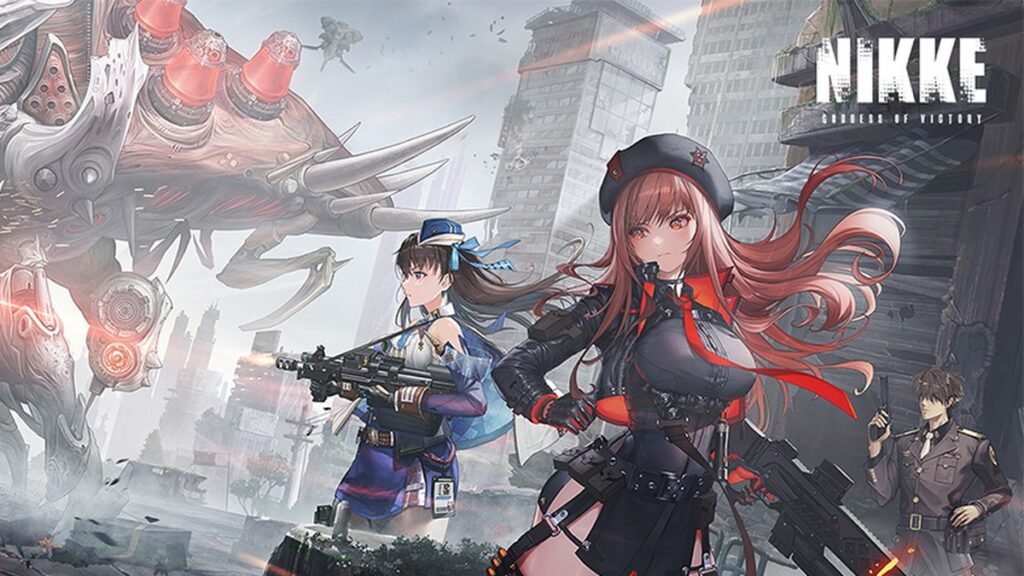
Image: Level Infinite / Shift Up (official NIKKE site)