
Valve's latest SteamOS Preview is the first look at AMD HDMI 2.1 features, HDR and brightness controls for the ROG Xbox Ally X20, and NVIDIA mesh shaders, plus a long list of known issues if you jump off Stable early.
Valve just pushed SteamOS 3.10 to the Preview channel, and the headline additions are the ones handheld and living-room players have been waiting on. The notes add HDR and brightness adjustment for the ASUS ROG Xbox Ally X20, HDMI 2.1 features on AMD systems, and mesh shader support for NVIDIA GPUs, along with a frank list of known issues.
The official write-up went up November 13 on Steam Deck News, and Valve is clear this is a Preview build, which “may contain unexpected bugs or stability issues.” VideoCardz, GamingOnLinux, and Steam Deck HQ all flagged the same additions after the notes landed.
Valve releases SteamOS 3.10 Preview with AMD HDMI 2.1 support, NVIDIA Mesh Shaders and Linux 7.3
, VideoCardz.com (@VideoCardz) November 14, 2026
🔗https://t.co/Io97ybglJh pic.twitter.com/OsVaY7AXZI

HDR on the Ally X20, HDMI 2.1 on AMD, mesh shaders on NVIDIA
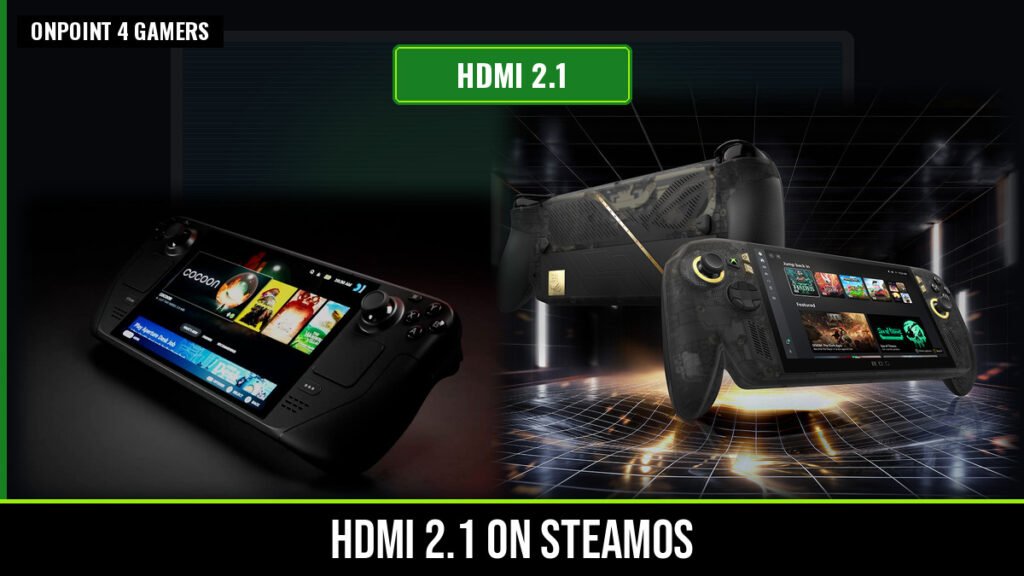
The notes add support for HDR and brightness adjustment on the ASUS ROG Xbox Ally X20. That is not the same thing as Valve declaring official SteamOS support for the handheld. It is a specific display fix in the Preview notes, and it lands in the same month Microsoft’s Auto SR already went live on the Ally X.
On the living-room side, SteamOS 3.10 Preview adds AMD HDMI 2.1 features, including Variable Refresh Rate, Fixed Rate Link, and Auto Low Latency Mode. There is a known issue worth reading before you dock: a Dell G3223Q monitor may stay on a blank screen. NVIDIA users get mesh shader support on Turing and newer GPUs, which VideoCardz notes covers the RTX 20 series and later, plus fixes for texture corruption in Tomb Raider and The Surge 2 when mesh shaders are in play.
That HDMI work also matters for Valve’s own living-room box. In a June teardown, Digital Foundry noted the Steam Machine’s HDMI port is labeled HDMI 2.0 even though it already exposes many HDMI 2.1 features, a limitation Pierre-Loup Griffais tied to AMD HDMI 2.1 on Linux. “We think that’s fully resolved,” Griffais said then, with 4K 144Hz uncompressed and 4K 240Hz with compression over HDMI 2.1 FRL promised “with a forthcoming update.” Preview is the first place to see whether this is that update.
The known issues are not small print
Valve’s issue list is longer than the feature list, and it is worth taking seriously if you live on a TV or a dock. VRR frame timing can still cause jumps in frame time. The Steam UI may flicker or show a lingering cursor under VRR at refresh rates above 30 fps. HDR can overexpose in some games, with Control called out as an example. UBOAT and The Fruit of Grisaia can flicker or show stale frames. There is also a new Vulkan extension in the build, VK_EXT_present_timing, plus a false Slow Charger warning and Bluetooth audio dropouts when you switch between Desktop and Game Mode.
What are you trying first in the SteamOS 3.10 Preview?
Vote and see what other Xbox fans think.
Like having a say? Get OnPoint Weekly or argue it out on Discord.
Under the hood, the Preview moves SteamOS to a newer Arch base, updates KDE Plasma from 6.7.3 to 6.8.2, and ships the Linux 7.3 kernel. GamingOnLinux also noted a commenter on a DIY Steam Machine who ran into video dropouts and a “no signal” message after starting a game, then downgraded to SteamOS 3.9.6 to get a picture back. That is one machine, not a formal advisory, but it is a useful reminder that Preview means Preview.
How to try it, and when to stay on Stable
If you want to opt in, go to Settings > System > System Update Channel and switch to Preview, then run the update. If you would rather wait for the known issues to shrink, stay on Stable. SteamOS has had a busy stretch already, including official Epic Games Launcher support on Steam Deck and Steam Achievement Sets rolling out to everyone. This Preview is the first look at the display work that could make a docked Deck, a Steam Machine, or an Ally X20 a lot more at home on a modern TV. Just go in with your eyes open.
Image: Valve / ASUS / Xbox
Sources found below.