Xbox Insiders can try a redesigned Xbox PC app today that's faster, easier on a controller and puts your friends front and center. The refreshed cloud gaming website is also rolling out to more players, and smart TVs and VR headsets are next. Here's everything that changed and how to get it.
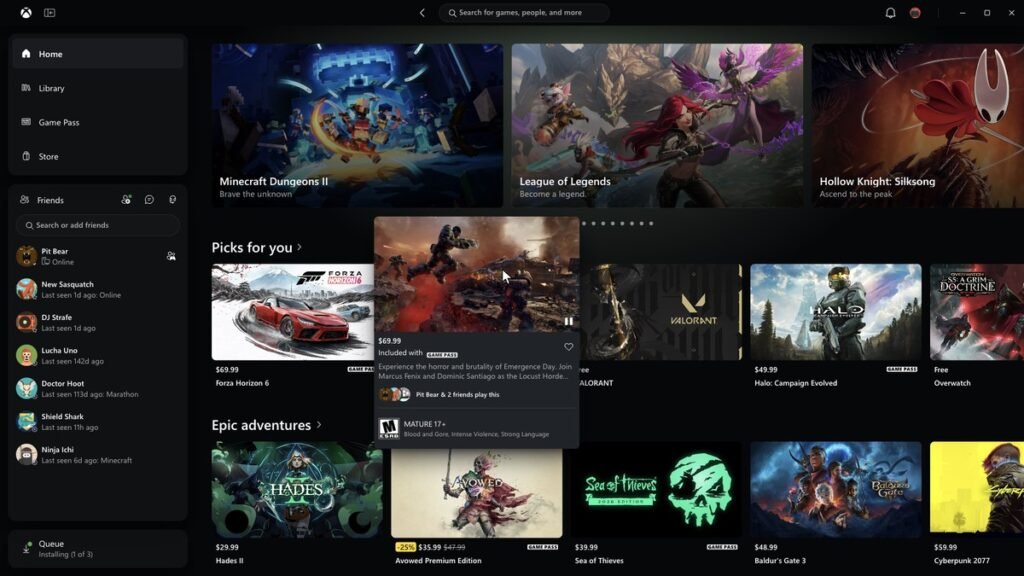
The Xbox app on Windows just got the overhaul PC players have been asking for. Starting today, Thursday, November 5, Xbox Insiders can try an updated Xbox PC app that Xbox says “launches up to 60% faster.” It also makes your Library, friends and search a lot easier to get to.
It’s not just the PC app. Xbox is also bringing its refreshed cloud gaming website to more players over the next few weeks and starting to roll the same look out to Xbox Cloud Gaming apps on supported TVs and VR headsets.
Xbox CEO Asha Sharma posted about it herself the moment it went live:
“We’re making XBOX on Windows faster and more responsive. Starting today, we’re rolling out updates that make our app up to 60% faster. A meaningful improvement, with plenty more to do.”
What you need to know
- Who gets it today: Xbox Insiders on PC can test the new Xbox PC app starting November 5, 2026.
- The speed numbers (Xbox’s own testing): the app launches up to 60% faster, Home, Store and Game Pass pages load up to 50% faster, and in-app windows open up to 65% faster.
- Fine print: Xbox says the numbers come from its own testing and “may vary by device, internet connection, system configuration, usage, and other factors.”
- Cloud gaming on the web: the refreshed play.xbox.com experience rolls out to more players automatically over the next few weeks. You can try it now at play.xbox.com.
- TVs and VR: the refreshed look and navigation is starting to come to Xbox Cloud Gaming apps on supported TVs and VR headsets.
- Cost: nothing. It’s an app update.
What’s new in the Xbox PC app
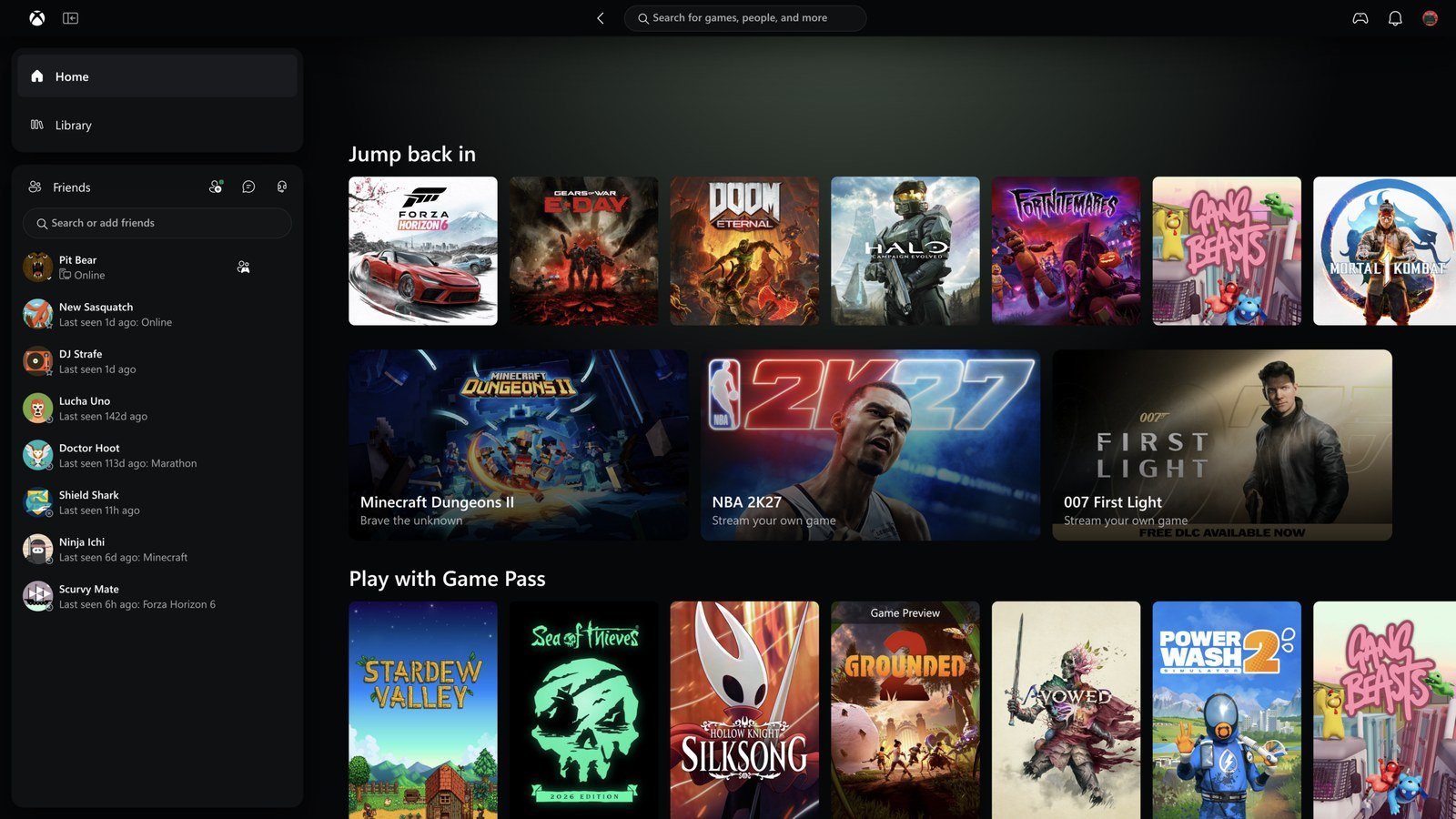
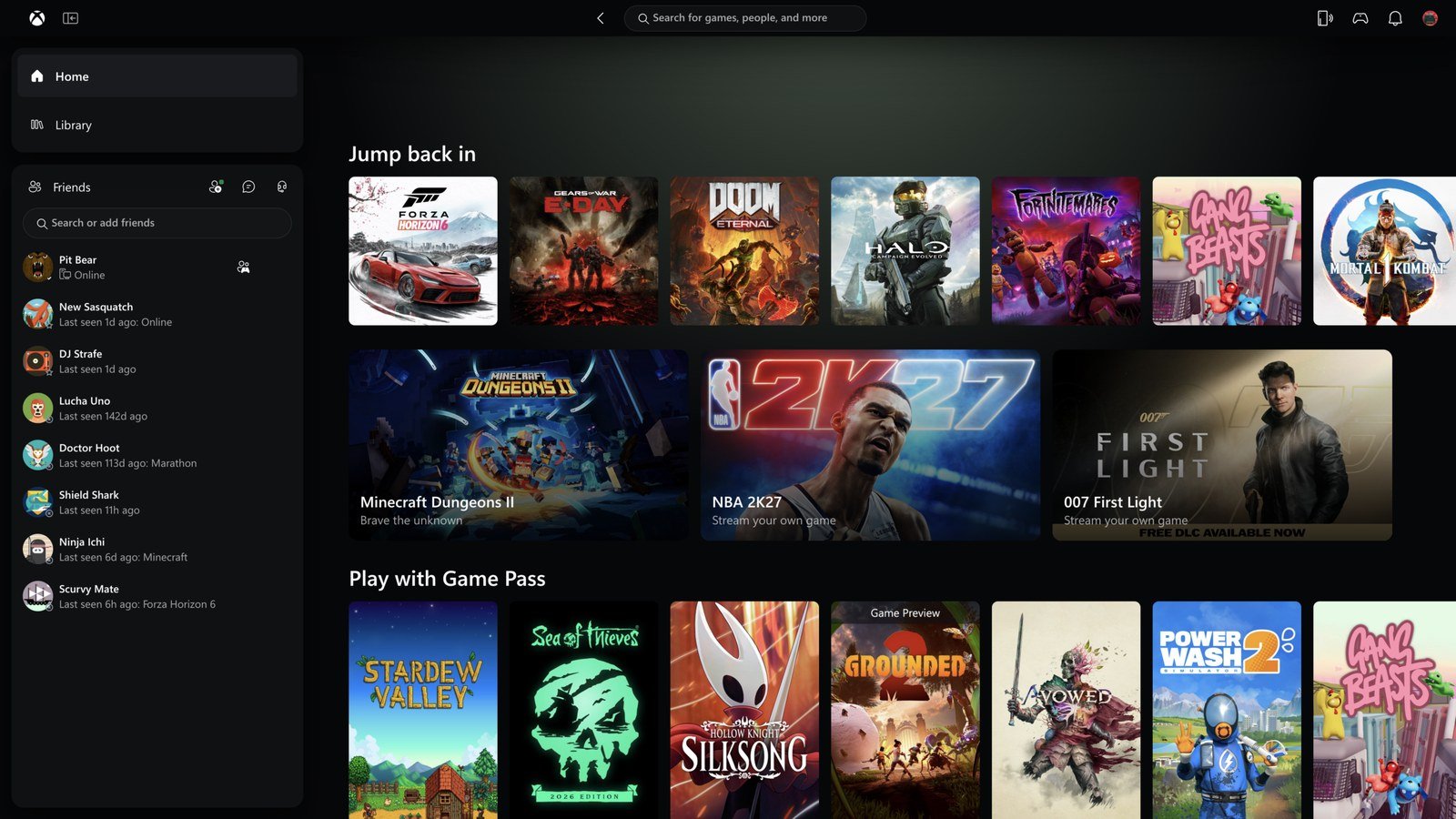
Here’s the full list of changes, per Xbox Wire:
- Faster everything: the launch, page loads and in-app windows numbers above.
- An easier Library: simpler navigation, updated filters and new ways to organize your games.
- Friends in the main navigation: see what friends are playing, start a chat or join a party without digging through menus.
- Better search: improved search across games (including installed games and add-ons) and people.
- A cleaner look: refreshed game cards, Home, Settings and animations.
Jason Beaumont, Xbox’s VP of Xbox experiences, gave The Verge the same numbers: “Pages like Home, Store, and Game Pass load up to 50 percent faster, and in-app windows open up to 65 percent faster.”
How it feels on a controller
The Verge’s Tom Warren has been using the new app for the past few weeks. He wrote that it’s “noticeably faster on a variety of devices,” that it’s “much easier to navigate around with a controller,” and that “the search interface no longer tries to pop up when you’re moving between sections.”
Microsoft is overhauling its Xbox PC, web, and cloud apps with a much faster design. Xbox Insiders can start testing the new Xbox PC app today. I've been using it for the past few weeks and it's much better on a controller. Details 👇https://t.co/rtigCtNFiv
, Tom Warren (@tomwarren) November 5, 2026
Warren also flagged one catch: the redesign makes the Game Bar interface on handhelds “feel a little out of place now.” He says he understands Microsoft is looking to improve that in the coming months, with design updates to make it match the new app more closely. Microsoft hasn’t announced a date for that part.
The cloud gaming website
Xbox Insiders got a preview of the new cloud gaming web experience back in January. Now it’s going wide. Per Xbox Wire, here’s what’s in it:
- A new Library tab: all the games you can play through the cloud in one place, whether you own them or have them through Xbox Game Pass. Sort and filter by recently played, genre, input options and more.
- Desktop mode: makes better use of the space on PCs and bigger screens.
- Display options: dark and light modes, plus five new high-contrast options for different visual needs.
TVs and VR headsets
Xbox says it’s also beginning to bring the refreshed look and navigation to Xbox Cloud Gaming apps on supported TVs and VR headsets. They won’t be identical to the PC app. Per Beaumont: “Playing on a PC, TV, or VR headset is different, and each experience needs to work well for the screen you’re using. Wherever you play, the basics should feel familiar: finding your games, knowing what you can play, and getting into a game quickly.”
Up to 60% faster. What did the Xbox PC app need most?
Vote and see what other Xbox fans think.
Like having a say? Get OnPoint Weekly or argue it out on Discord.
How to get it
- New Xbox PC app: join the Xbox Insider Program by downloading the Xbox Insider Hub app on Windows PC, then look for the Xbox PC app preview there. Xbox hasn’t announced a date for everyone else yet.
- New cloud gaming website: go to play.xbox.com to try it now, or wait. It turns on for more players automatically over the next few weeks.
- Feedback: Xbox wants it at aka.ms/XBOXplayervoice, and Insiders can get help on the r/xboxinsiders subreddit.
Xbox’s own line on this: “We’ve heard where the experience could be better. There’s more to do, and your feedback will continue to shape what comes next.”
OnPoint’s take: This is a W for every Xbox player on PC, and it’s the right kind of W. The Xbox app has been the weakest link in “Xbox on Windows” for a long time. Slow to open, clunky on a controller, and it felt like a website wearing an Xbox costume. Since the Xbox Ally handhelds launched, that problem got loud, because a handheld lives or dies on how the app feels with a controller in your hands.
What people aren’t seeing: this isn’t a coat of paint. Look at the order Xbox did things in. On Wednesday it put FSR 4.1.2 in developers’ hands for better looking console games. Today it’s making the front door on PC faster. And the PC app, the web, TVs and VR are all getting the same look. That’s one Xbox on every screen. When you pick up a controller anywhere, it should feel like Xbox, and that’s exactly what this is building.
And respect to Asha for saying “plenty more to do” out loud. No victory lap, just “we heard you, here’s the fix, more coming.” That’s the energy. The one thing we want next: get that Game Bar on handhelds matching this new app, and get the new PC app out of Insider and to everybody fast.
If you’re an Insider, try it today and tell us if the 60% is real on your rig.
Images: Microsoft / Xbox (via Xbox Wire)