
Xbox just turned on two new ways to play cloud games: your phone becomes a controller on your Smart TV, and the brand new Nano Controller can skip the middleman and talk straight to the cloud over Wi-Fi. Here's how both work, who gets them and how to turn them on today.
On Tuesday, we told you the Xbox Nano Controller had a cloud secret Microsoft wasn’t talking about yet. Today Xbox made it official, on the same day the $49.99 Nano hit shelves, and it brought a second surprise with it.
Xbox Wire announced on Wednesday, November 4, that it is “rolling out two previews for XBOX Cloud Gaming” starting today:
- Phone as a controller: on supported Smart TVs, you can use your phone as the controller when you don’t have one nearby.
- Cloud connect for the Xbox Nano Controller (US only): the Nano can connect over Wi-Fi directly to the cloud server running your game, which Xbox says “can help make gameplay feel more responsive.”
Xbox is clear that both are still tests. Per Xbox Wire, “Availability and supported games or devices may be limited while we learn from your feedback.”
What you need to know
- Start date: both previews start rolling out today, November 4, 2026.
- Phone controller regions: every country where Xbox Cloud Gaming is supported, on supported Smart TVs.
- Cloud connect regions: US only for now.
- Cloud connect devices: supported Smart TVs and the web. Xbox says it “won’t work with every cloud gaming experience yet.”
- Phones supported: supported Android and iOS phones.
- Cost: Xbox’s post doesn’t list any extra cost for either preview. You still need access to Xbox Cloud Gaming to play.
How the phone controller works
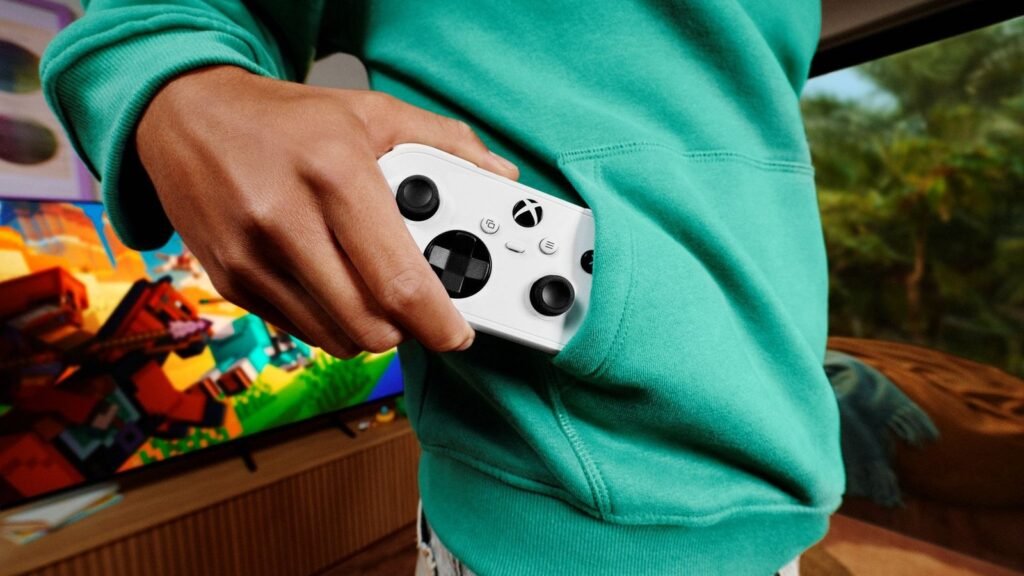
No controller in the living room? This is the fix. Per Xbox Wire, you use a supported Android or iOS phone as your controller on a supported Smart TV. The controls open in your phone’s web browser, so there’s no separate controller and no app to install for the controls themselves. Xbox also says “some games will also have controls tailored to how they play.”
How to turn it on
- On your supported Smart TV, open the latest Xbox experience and go to Settings > Account.
- Turn on Preview Features.
- Launch a cloud game without a physical controller connected.
- You’ll see an option to use your phone for that session. Scan the QR code on the TV with your phone, and your phone becomes the controller.
This one didn’t come out of nowhere. Better xCloud developer redphx spotted a “Phone controller” feature in Xbox Cloud Gaming code on November 2, including a “Plays great with phone controller” category that listed 368 games, per Cloud Dosage. At the time nobody knew if it meant playing on your phone’s screen or using your phone to control a game on another screen. Now we know: it’s the second one.
How cloud connect on the Xbox Nano works
Normally your controller talks to your TV or PC over Bluetooth, and that device passes your button presses along to the cloud server. Cloud connect cuts out that step. Per Xbox Wire, “cloud connect uses your Wi-Fi to connect directly to the cloud server running your game. That can help reduce input latency, so gameplay may feel more responsive.”
How to set it up, per Xbox Wire
- Set up your controller: use the Xbox beta app on Android, or the Xbox Accessories app on PC, to set up cloud connect on your Nano. Heads up: setting it up through the PC app requires Xbox Insider enrollment.
- Connect to Wi-Fi: follow the steps in the app to put the controller on your Wi-Fi network.
- Start playing: open a supported Xbox Cloud Gaming experience on a supported Smart TV or the web and sign in with the same Xbox account you used during setup. The controller connects through cloud connect.
Xbox has a full cloud connect setup guide on its support site: support.xbox.com/en-US/help/hardware-network/controller/cloud-connect
Before today, The Verge’s Tom Warren reported that the feature was being privately tested on the new Xbox Cloud Gaming website, and that he expects the upcoming Xbox Elite 3 controller to get the same Wi-Fi trick. Microsoft has not announced anything about the Elite 3 and cloud connect, so treat that part as Warren’s expectation, not a confirmed feature.
How to send feedback
Which new cloud trick are you trying first?
Vote and see what other Xbox fans think.
Like having a say? Get OnPoint Weekly or argue it out on Discord.
Xbox says it’s testing both features to learn what works and what needs fixing, and it wants your feedback:
- Phone controller, on your phone: after scanning the QR code, tap the Xbox icon in the top-left corner and select “Give Feedback.”
- Phone controller, on your TV: open the Guide with the Xbox button on your controller (or the Xbox icon in the top-left corner) and select Give Feedback, or in the Xbox app’s main menu, click the profile icon in the top-right corner and select “Give Feedback.”
- Cloud connect: use the “Feedback” icon in the Xbox Accessories app on PC or the Xbox mobile app.
OnPoint’s take: This is the stuff that actually grows Xbox. The biggest wall between a casual player and an Xbox game on their TV has always been “go buy a controller and pair it.” Your phone being the controller knocks that wall down. Anybody with a supported Smart TV and a phone can now be in a cloud game in a couple of minutes. That’s how you put Xbox in front of people who never planned to buy a console.
And cloud connect is the bigger deal for real players. The number one complaint about cloud gaming is that it feels a little floaty. Every hop between your thumb and the server adds delay, and cloud connect takes one hop out. Google tried this with the Stadia controller, but Stadia didn’t have a library like Xbox’s. Xbox now has the games and the hardware trick.
What people aren’t seeing yet: Xbox didn’t wait. The Nano launched this morning, and the feature it was hiding is live in preview the same afternoon. If Tom Warren is right that the Elite 3 gets it too, Wi-Fi straight to the cloud stops being a Nano gimmick and starts becoming how Xbox controllers work. The only knock right now is that it’s US only and limited to Smart TVs and the web. We want this on every screen, everywhere, and the Xbox Insider requirement for PC setup needs to go before it’s ready for regular players.
We’ll be testing it. Let us know how it feels on your setup.
Image: Xbox Wire